
SOCKS5 Proxy for Android
Verified Technical Editorial Team
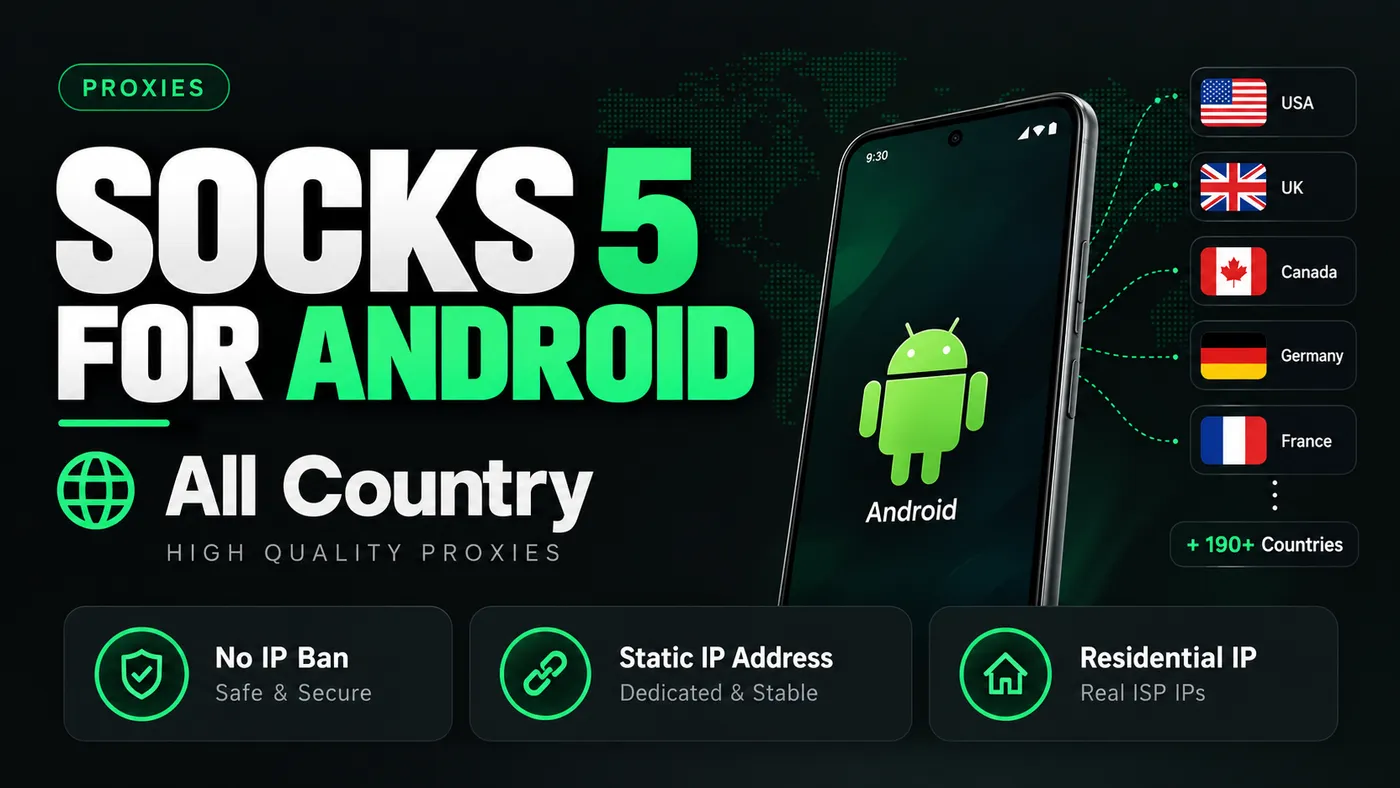
SOCKS5 Proxy for Android – All-Country Proxy Access
Looking for a SOCKS5 proxy solution for your Android device? Socks 5 for Android is a proxy product designed for users who need flexible IP connectivity, support for compatible applications, and access to proxy locations across multiple countries.
Priced at $50, this product is listed with all-country coverage, static IP address options, and residential IP options. It is intended for users who want to manage network connections on Android while keeping their proxy configuration organized.
Before purchasing, review the available IP type, supported locations, connection details, and application compatibility to make sure the product meets your requirements.
🚀 Overview & Core Highlights
Get instant access to this high-performance software designed to streamline your workflow and deliver unmatched reliability.
⚡
High Performance
🛡️
100% Clean & Safe
🔄
Continuous Updates
📋 System Requirements & Compatibility
🛠️ Quick 3-Step Setup Guide
Download the Installer: Click your secure order link to grab the latest official installer.
Launch & Enter Key: Open the setup wizard and paste your genuine The Valid Market license key.
Ready to Use: Enjoy all pro features fully unlocked with 100% working guarantee.
❓ Frequently Asked Questions
How fast will I receive the license key?
Delivery is fully automated. You will receive your license key and download link instantly after checkout.
Can I transfer my license to a new PC?
Yes, your license can be deactivated and transferred to another computer anytime via customer support.
🔒 100% Working Guarantee
If your key fails to activate or you experience any technical difficulties, our 24/7 team will replace it immediately.
What Is a SOCKS5 Proxy?
SOCKS5 is a proxy protocol that forwards network traffic through an intermediary server. Instead of connecting directly to a destination, a compatible application sends its connection through the configured proxy.
Depending on the provider and configuration, a SOCKS5 proxy can support different types of application traffic, authentication methods, and IP addresses.
A key distinction is that SOCKS5 does not automatically encrypt all traffic. Encryption depends on the application, destination protocol, and other security measures in use.
Socks 5 for Android – Product Overview
The product listing highlights the following features:
Platform: Android
Listed price: $50
Coverage: Advertised all-country availability
IP options: Static IP and residential IP options advertised
Connection type: SOCKS5 proxy
Access: Digital product; verify delivery and activation details before ordering
Compatibility: Requires a compatible Android application or configuration method
Actual availability, supported countries, session limits, and the precise IP type should be confirmed in the product specifications before purchase.
Key Features of Socks 5 for Android
1. Android Compatibility
The product is intended for Android users who need proxy connectivity on a compatible device or application.
The setup process depends on the proxy provider and the application being used. Some applications support proxy settings directly, while others may require a separate supported networking tool.
Before purchasing, confirm the required Android version and supported setup method.
2. Multiple Country Options
The product image advertises coverage across more than 190 countries. Displayed examples include:
United States
United Kingdom
Canada
Germany
France
Country coverage does not necessarily mean that every country is available at all times. Confirm the current location list and whether you can select your preferred country before placing an order.
3. Static IP Address Options
A static IP generally refers to an IP address intended to remain consistent over time. This can be useful for workflows that depend on a stable source IP, such as authorized account administration, testing, or remote access.
However, the exact duration and persistence depend on the provider. Ask whether the address is dedicated to one customer, how long it remains assigned, and whether replacement is possible.
4. Residential IP Options
Residential proxies route connections through IP addresses associated with residential internet networks. Availability and quality vary between providers.
Before selecting this option, check whether the addresses are legitimately sourced, what usage is permitted, and whether the service discloses its session, rotation, and bandwidth policies.
A residential IP should not be assumed to be undetectable or guaranteed to work with every website.
5. Flexible Application Usage
A SOCKS5 proxy may be useful for compatible applications and authorized network-testing workflows.
Potential use cases include:
Testing applications from different network locations
Checking website localization
Troubleshooting proxy-enabled software
Managing authorized remote workflows
Testing region-specific functionality on systems you control
Support varies by application, so verify compatibility before purchasing.
6. Connection Management
A well-documented proxy service should provide the information needed to configure and troubleshoot a connection.
Depending on the package, this may include the server address, port, authentication credentials, supported protocol settings, and troubleshooting instructions.
The product listing should clearly state which of these details are included with the purchase.
How to Set Up a SOCKS5 Proxy on Android
The setup process varies according to the Android version, proxy provider, and application.
Step 1: Obtain Your Connection Details
After purchasing from a legitimate provider, locate the supplied server address, port, authentication details, and setup documentation.
Do not share proxy credentials publicly.
Step 2: Check Application Compatibility
Open the settings of the application you intend to use and check whether it supports SOCKS5 configuration.
Android's standard Wi-Fi proxy settings do not provide universal SOCKS5 configuration for every application. Some apps may require their own proxy settings or a compatible networking utility.
Step 3: Enter the Required Settings
Follow the provider's documented instructions to configure the server and authentication details.
Check every field carefully before saving.
Step 4: Test the Connection
Use an appropriate network diagnostic or an IP-checking service to confirm whether the intended application is connecting through the configured proxy.
Verify the resulting IP address and location rather than assuming the configuration is working.
Step 5: Troubleshoot if Necessary
If the connection fails, check the server address, port, authentication details, provider status, and application support. Contact the provider if the issue persists.
SOCKS5 Proxy vs. VPN: What Is the Difference?
A SOCKS5 proxy and a VPN are different technologies.
Feature | SOCKS5 Proxy | VPN |
|---|---|---|
Primary function | Forwards traffic from compatible applications | Routes traffic through a VPN tunnel |
Encryption | Not provided by SOCKS5 itself | Normally encrypts traffic inside the VPN tunnel |
Application coverage | Depends on application configuration | Often covers most device traffic |
IP presentation | Can present the proxy server's IP | Can present the VPN server's IP |
Best fit | Specific proxy-enabled workflows | Broader device-level network privacy |
Neither option guarantees complete anonymity or universal access. The appropriate choice depends on the use case, configuration, and provider.
Why Choose a SOCKS5 Proxy for Android?
A SOCKS5 proxy may be appropriate if you need a proxy protocol supported by a particular application and want to manage network connections independently of a full-device VPN.
Before choosing this product, consider:
Whether Android is explicitly supported
Whether your preferred country is available
Whether the IP is static, rotating, or session-based
Whether authentication and setup instructions are provided
Whether the bandwidth, connection limits, and renewal terms fit your needs
Whether the provider has clear privacy and acceptable-use policies
These checks are more useful than relying solely on claims such as “high quality” or “no IP ban.”
Frequently Asked Questions
What is Socks 5 for Android?
It is a SOCKS5 proxy product listed for Android users who need proxy connectivity in compatible applications.
What is the price of Socks 5 for Android?
The displayed product price is $50. Confirm the final checkout price, package duration, and included features before ordering.
Does it support all countries?
The product image advertises more than 190 countries, including the United States, United Kingdom, Canada, Germany, and France. Confirm current availability with the seller.
Does SOCKS5 encrypt my internet connection?
No. SOCKS5 does not inherently encrypt traffic. Use properly encrypted connections and trusted applications where confidentiality matters.
Can a SOCKS5 proxy prevent IP bans?
No proxy can guarantee that an account or IP address will never be blocked. Websites use different detection, security, and abuse-prevention systems.
Does it work with every Android application?
No. The application must support SOCKS5 directly or use a compatible configuration method. Device-wide support is not automatic.
Is a static IP the same as a residential IP?
No. Static describes whether an IP address remains consistent, while residential describes the type of network associated with the IP. An address may have one or both characteristics, depending on the provider.
Final Verdict
Socks 5 for Android is listed at $50 and advertises broad country coverage, static IP options, and residential IP options. It may suit users who need compatible proxy connectivity for legitimate testing, application development, or network workflows.
The most important purchasing factors are verified country availability, the actual IP type, Android compatibility, connection stability, transparent pricing, and clear support documentation.
Related topics: Socks5 proxy download are supported with comprehensive documentation and verified access on The Valid Market.
Explore more verified software, proxies, and accounts in the The Valid Market Store or review our latest technical guides.
Verified Knowledge Base Guarantee
All guides, scripts, and product configurations on The Valid Market are tested for safety, zero backdoors, and maximum performance.
Community Discussion
2 approved comments
Leave a Comment
Join the conversation! Comments are reviewed by our team before going live.
Alex
Oct 13, 2026
Thats Great you have uploaded very informative blog i love it bro
Raj
Oct 13, 2026
Great Brooo